

Back to Changelog
New
AI HelpMate
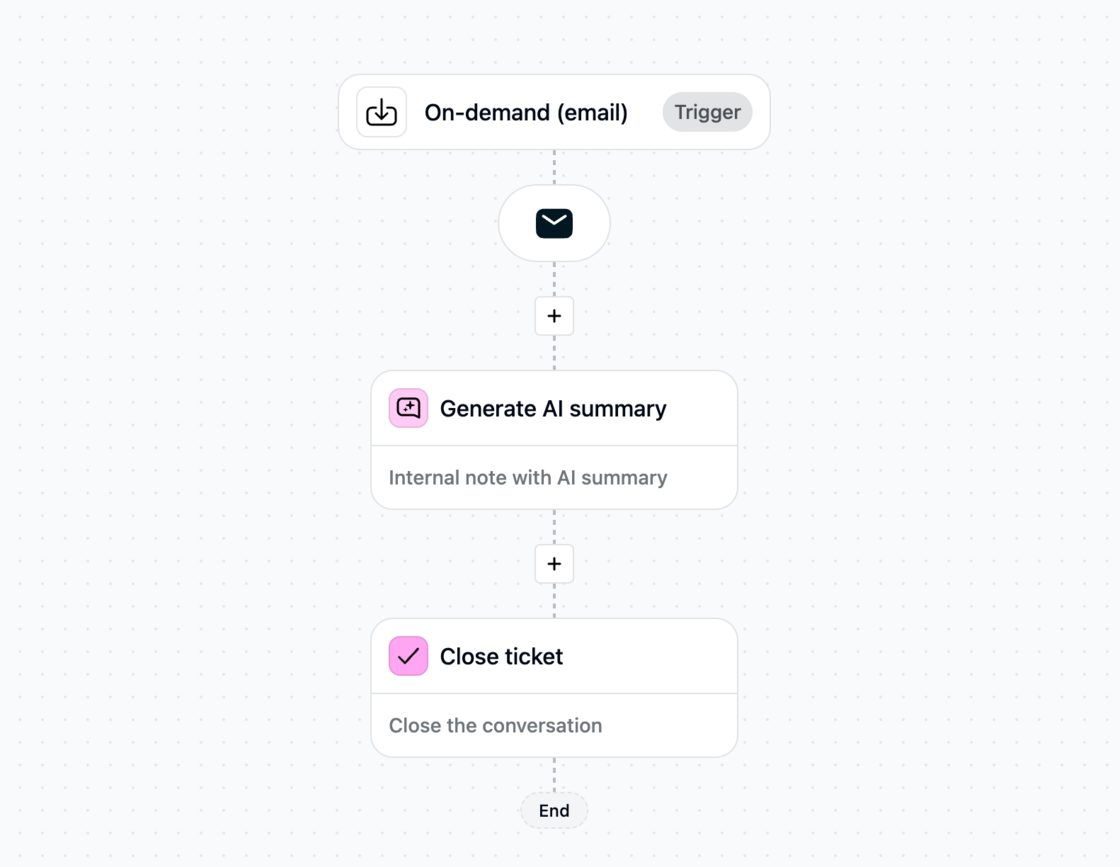
Optimieren Sie tägliche Workflows mit neuen On-demand Journeys für Agenten
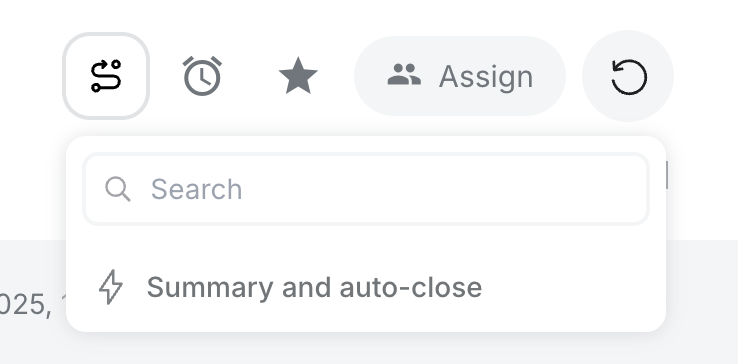
Mit On-demand Journeys können Agenten Workflows direkt aus dem Posteingang auslösen – wann immer sie diese benötigen. Dies reduziert sich wiederholende Aufgaben, beschleunigt Prozesse und steigert die Produktivität.
Im Gegensatz zu automatisierten Journeys geben On-demand Journeys Agenten die Kontrolle: Sie entscheiden, wann und bei welchem Ticket der Workflow ausgeführt wird.
So nutzen Sie es
- Gehen Sie in Trengo zu Journeys.
- Wählen Sie den On-demand Trigger.
- Erstellen und speichern Sie Ihre Automatisierung.
- Aktualisieren Sie den Posteingang – Ihre On-demand Journeys erscheinen oberhalb des Tickets, bereit zur Nutzung.
Beispiele
Mit einem Klick können Agenten:
- Eine KI-Zusammenfassung erstellen und ein Ticket weiterleiten.
- Eine CSAT-Umfrage auslösen und das Ticket schließen.
- KI-Labeling durchführen + automatisch schließen.
- E-Mails an die richtige Adresse weiterleiten.
On-demand Journeys helfen Teams, Zeit zu sparen und sich auf die wichtigsten Gespräche zu konzentrieren.
Noch mehr Freude am Automatisieren!
Like this update? Let the team know so they get even more motivated to bring more awesome updates to you.