

Back to Changelog
Improvement
AI HelpMate
Journeys-Konversationen starten/setzen sich fort, wenn ein Ticket zugewiesen wird
Ab sofort laufen KI-Journeys auch bei erstellten und zugewiesenen Konversationen — nicht nur bei neuen.
Was ändert sich am Trigger „Nachricht empfangen“?
Vorher:
- KI-Journeys starten nur, wenn eine neue, nicht zugewiesene Nachricht eingeht.
Ab sofort starten/setzen sich KI-Journeys auch in folgenden Situationen fort:
- Wenn Sie ein neues Ticket erstellen (manuell oder über die API) und der Kunde antwortet.
- Wenn eine Konversation einem Agenten zugewiesen wird (die Journey wird fortgesetzt).
- Und natürlich immer noch, wenn eine neue, nicht zugewiesene Nachricht eingeht.
Praktische Informationen:
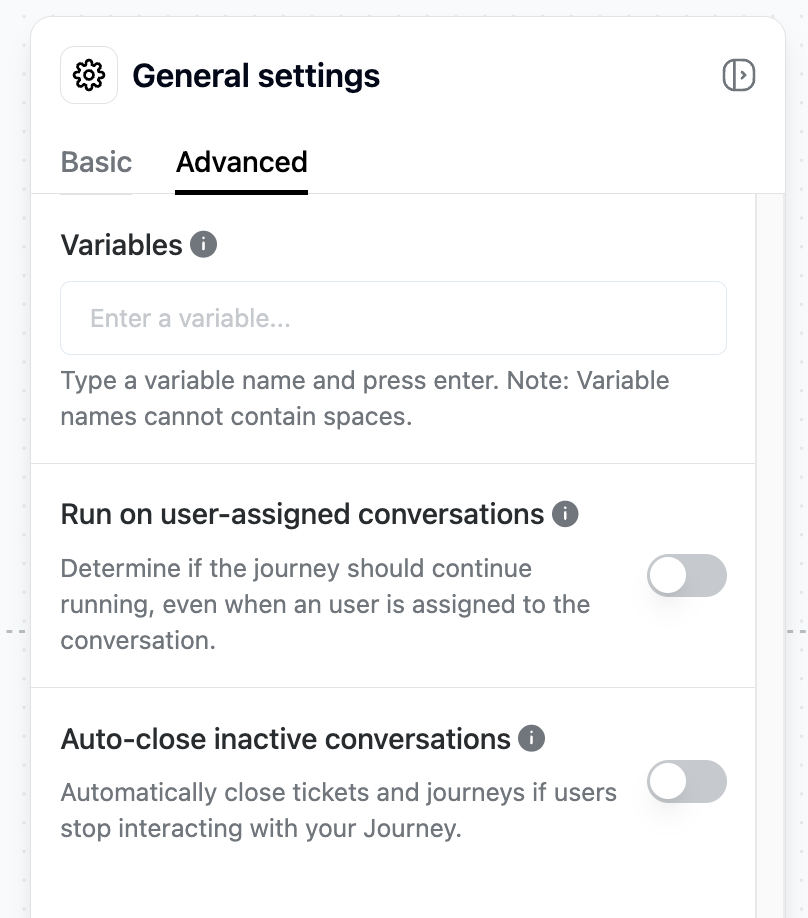
- Für alle zuvor erstellten Journeys ist diese Funktion standardmäßig deaktiviert, Sie können sie jedoch manuell aktivieren (siehe Screenshot).
- Für alle neu erstellten Journeys ist die Funktion standardmäßig aktiviert, Sie können sie jedoch bei Bedarf manuell deaktivieren (siehe Screenshot).
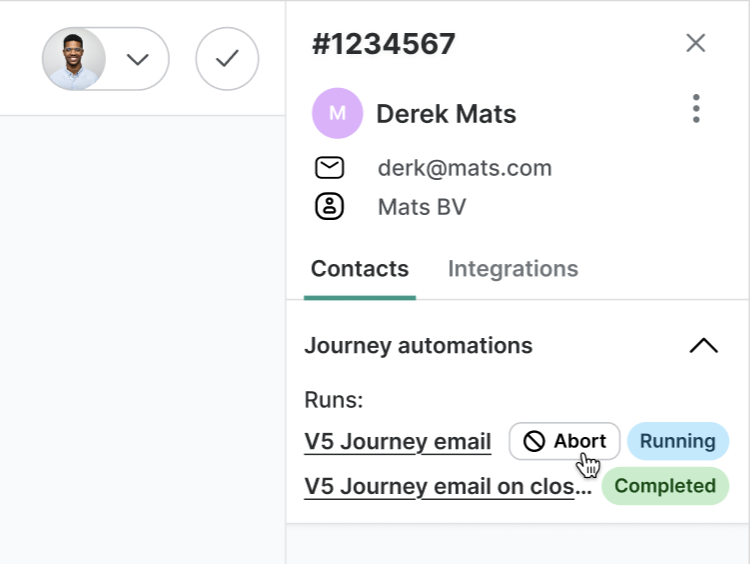
Möchten Sie die Journey beenden, nachdem eine Konversation zugewiesen wurde?
Kein Problem! Klicken Sie einfach auf „Abbrechen“ in der Trengo-Seitenleiste. Die Journey wird sofort gestoppt und für dieses Ticket nicht erneut ausgeführt.
Hinweis: Jeder Journey-Trigger kann nur einmal pro Ticket ausgeführt werden. Er wird nicht neu gestartet, wenn das Ticket später wieder geöffnet wird.
Like this update? Let the team know so they get even more motivated to bring more awesome updates to you.