
Drei neue KI-Journey-Funktionen!
Nach wochenlanger harter Arbeit freuen wir uns, drei leistungsstarke neue Veröffentlichungen bekannt zu geben, die spannende Möglichkeiten eröffnen:
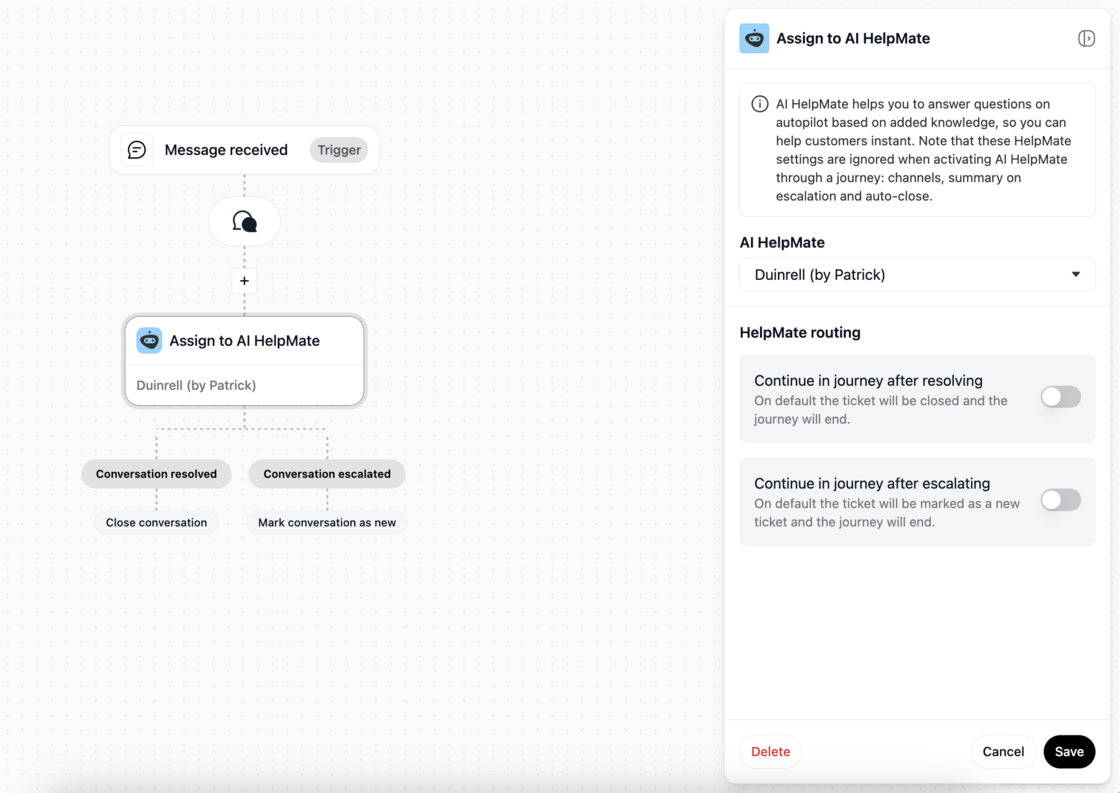
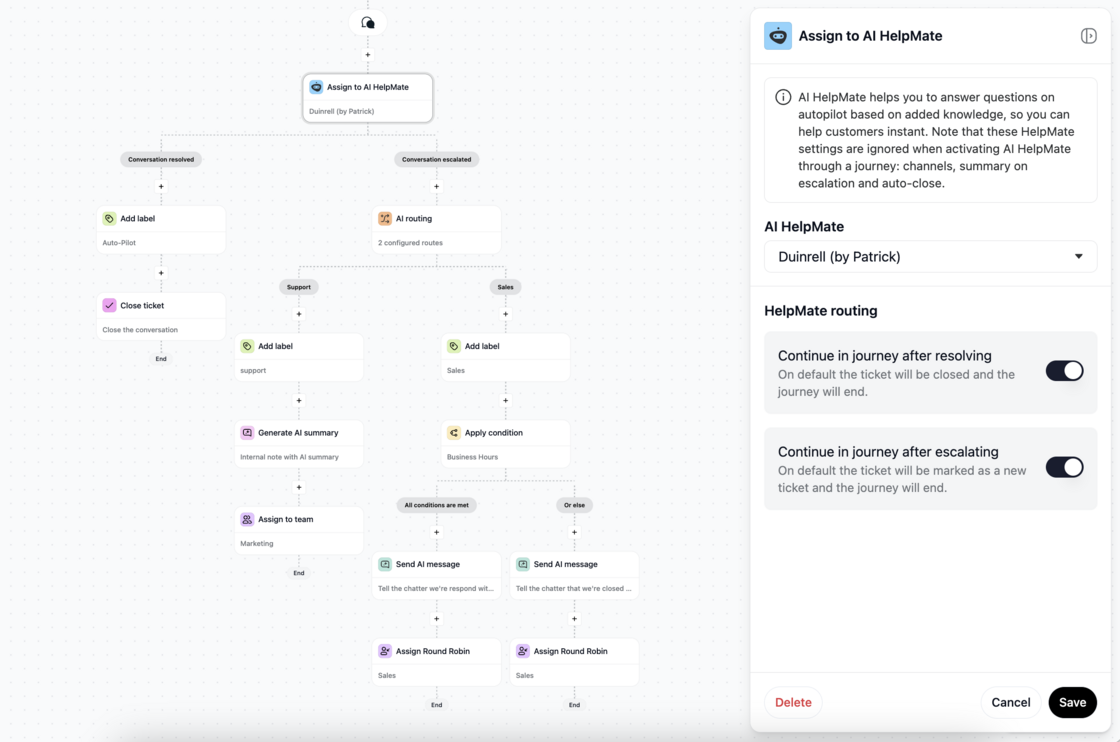
- Konversation von HelpMate zu Journeys nach Lösung oder Eskalation fortsetzen
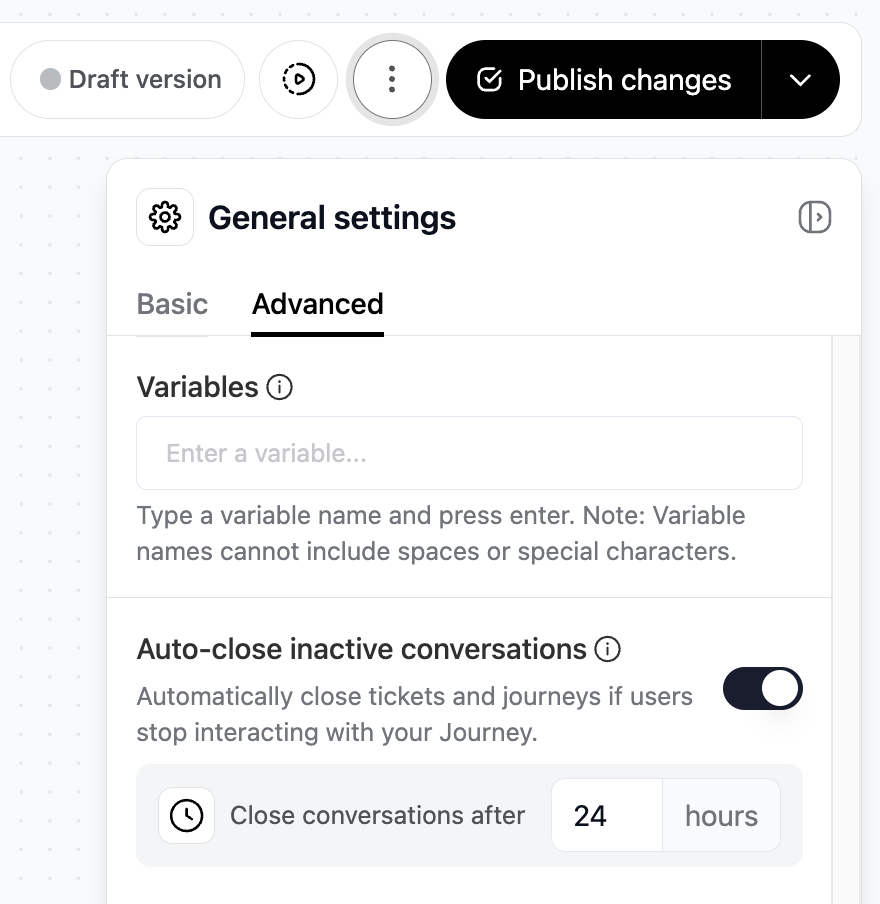
- Neue allgemeine Einstellung: Inaktive Konversationen automatisch schließen
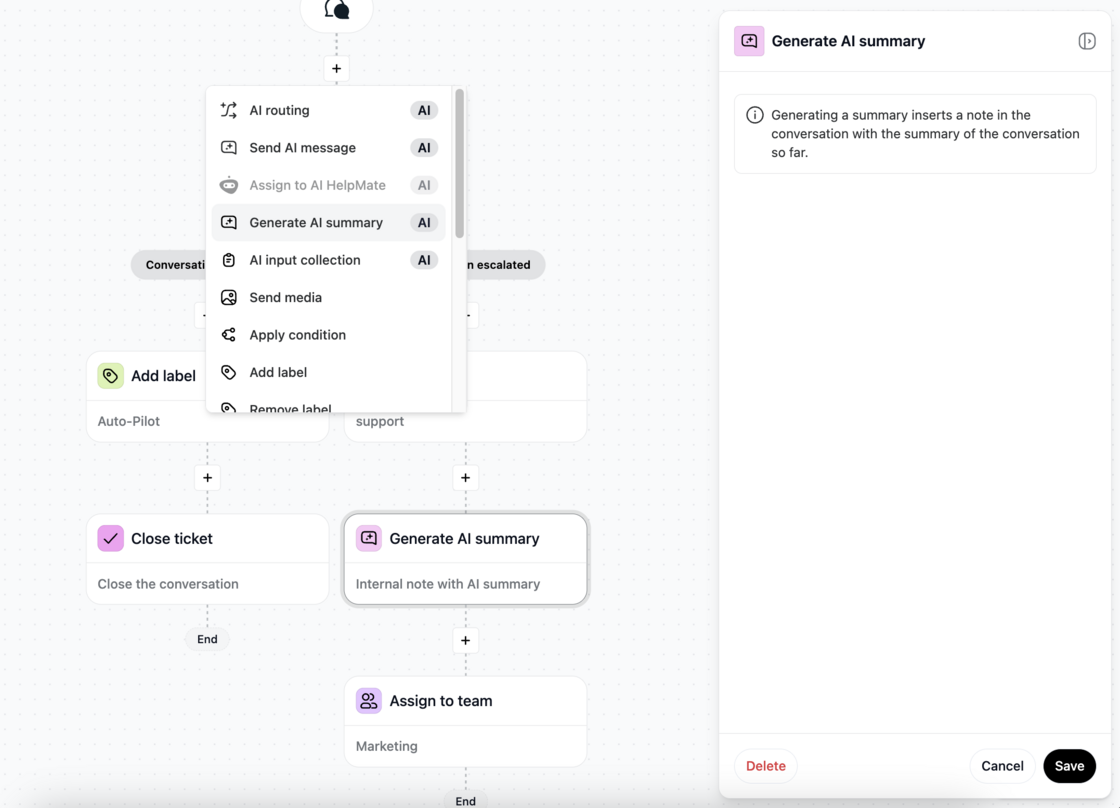
- Neue Aktion: KI-Zusammenfassung generieren
Lassen Sie uns die neuen Anwendungsfallmöglichkeiten in Journeys genauer aufschlüsseln.
1\. Konversation von HelpMate zu Journeys nach Lösung oder Eskalation fortsetzen
Dieses Update ermöglicht es Ihnen zu entscheiden, wie HelpMate in Journeys nach einer Eskalation oder Lösung fortfahren soll. Deshalb ist es wegweisend:
- HelpMates stärker in den Firstline-Support verschieben und komplexe Weiterleitungen nach der Eskalation durchführen.
Zeigen Sie maßgeschneiderte KI-Nachrichten basierend auf den Geschäftszeiten an, um Erwartungen bei der Übergabe von AI HelpMate an Agenten besser zu steuern.
- Fügen Sie Labels für die Analyse hinzu, um Einblicke zu gewinnen, wann Konversationen gelöst oder eskaliert werden.
- Sammeln Sie wichtige Details wie Name, E-Mail und Telefonnummer durch KI-Eingabeerfassung, bevor die eigentliche Übergabe erfolgt. Dies optimiert den Prozess, spart Zeit für Agenten und Kunden und gewährleistet einen reibungsloseren Übergang.
2\. Inaktive Konversationen automatisch schließen
Wenn ein Chatter auf eine KI-Aktion wie KI-Eingabeerfassung oder KI-Routing nicht antwortet, können Sie die Konversation jetzt nach einer festgelegten Zeitspanne automatisch schließen. Dies hält Posteingänge sauber und eliminiert die Notwendigkeit, inaktive Konversationen manuell zu überprüfen und zu schließen.
So funktioniert's:
Konfigurieren Sie die Einstellung „Ticket schließen (&ausführen)“ in Stunden unter den Allgemeinen Journey-Einstellungen (Registerkarte Erweitert).
Diese Funktion hilft Kunden, Zeit zu sparen und sich auf aktive Anfragen zu konzentrieren.
3\. KI-Zusammenfassung generieren
Eine neue Aktion ermöglicht es der KI, laufende Konversationen zusammenzufassen und als interne Notiz im Ticket zu hinterlegen.
Wann Sie es verwenden könnten:
- Beim Zuweisen von Konversationen an ein Team.
- Beim Zuweisen von Konversationen an ein Round-Robin-Team.
- Beim Eskalieren von Konversationen von HelpMate zurück zu Journeys für ein erweitertes Eskalationsmanagement.