

Back to Changelog
New
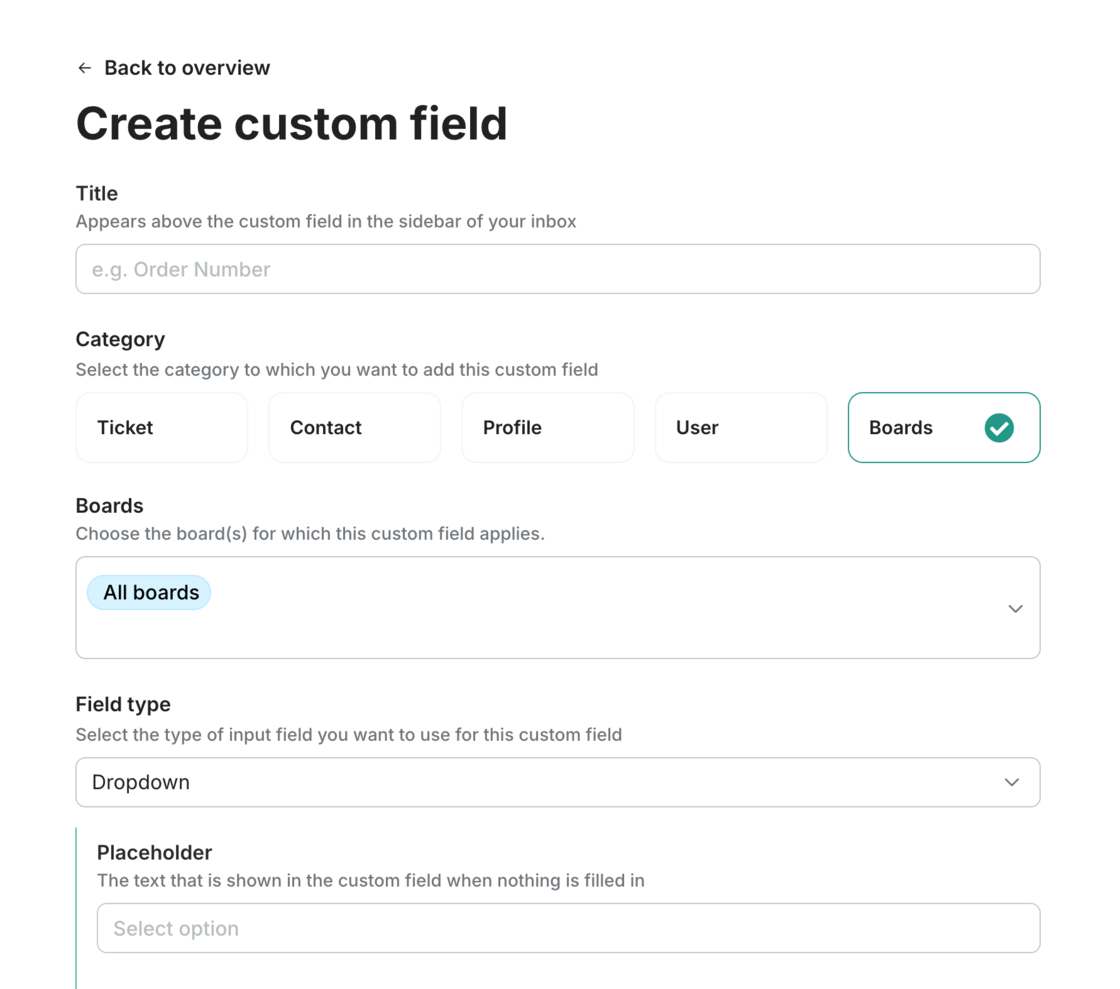
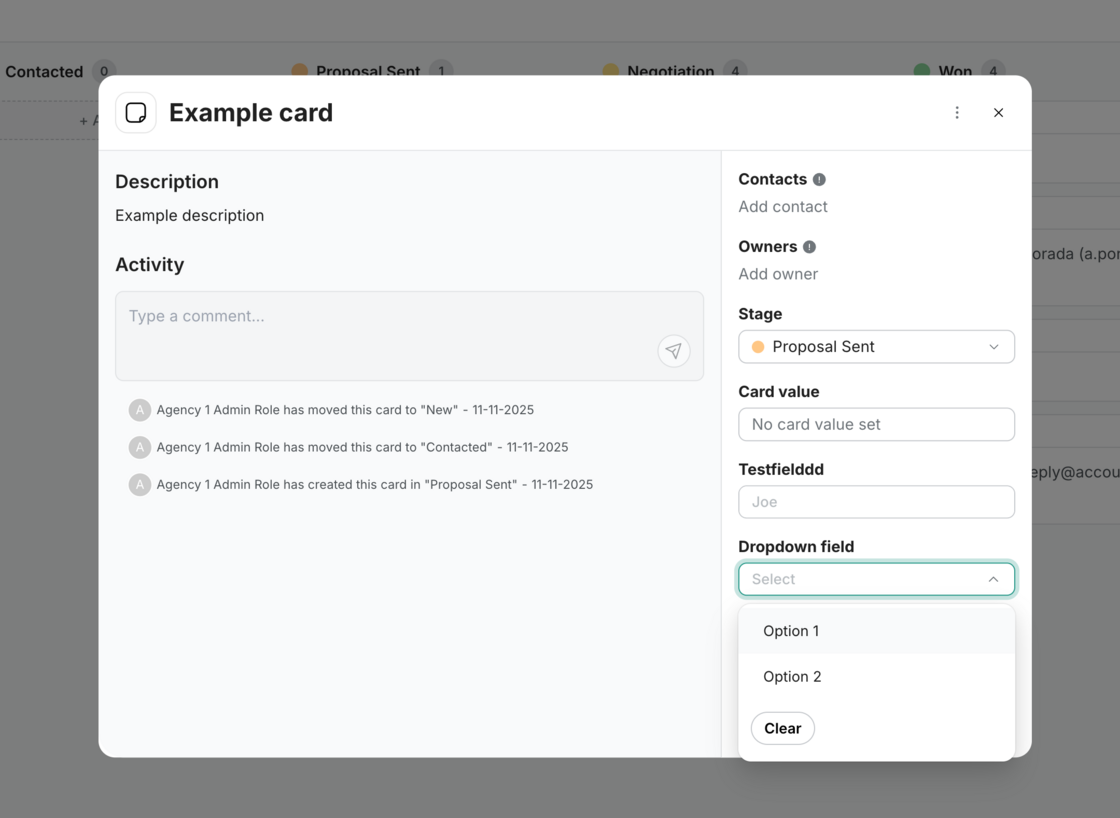
Add Custom Board Fields to track more information in Cards
Boards
It’s now possible to add custom fields to any board, and these fields will automatically show up on each card.
Perfect if you want to track more than just notes — now you can structure your data the way your workflow needs it.
You have full control which additional fields you would like to show, but here some inspiration:
- Lead source / source channel
- Expected closing date
- Expected start date
- Potential deal value
- Return reason
- Customer segment
- Event / group size
- Extra service requests
- Salary range
Every team works differently and every workflow is different. Now you can let the card fit your wished worflow.
Like this update? Let the team know so they get even more motivated to bring more awesome updates to you.