

Advanced search filters for ticket management
Agents can now find the exact ticket they need by searching specific fields, instead of scrolling through every ticket that happens to mention a word.
What's new
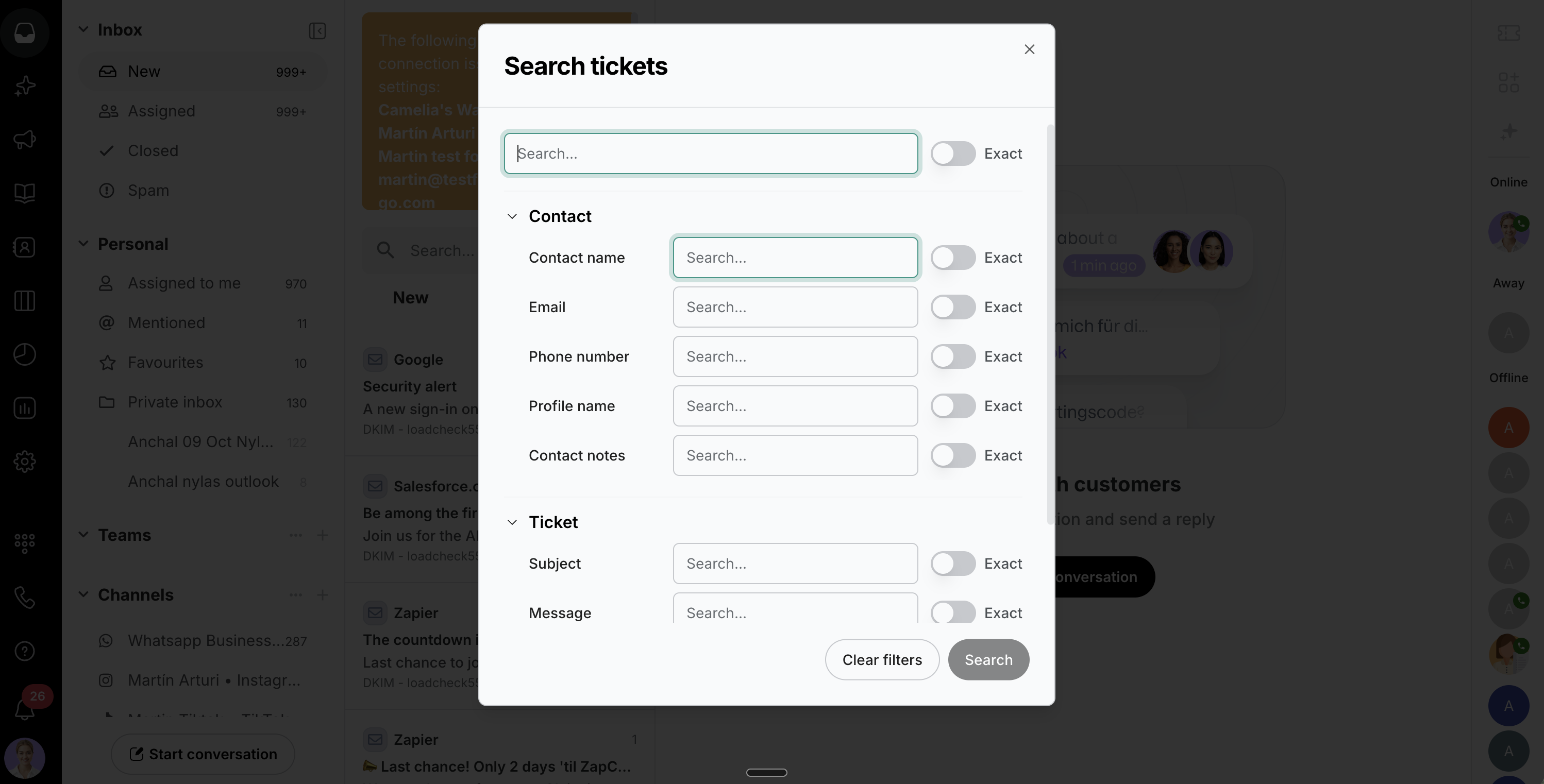
Open the new advanced search window from the filter icon in the search bar.
Search specific ticket fields: subject, message, ticket number, or sender email.
Search specific contact fields: name, email, phone number, profile name, or contact notes.
Combine several fields in one search, and use the Exact switch on any field to match words in that exact order.
See at a glance how many field searches are active in the search bar. Clear them all in one click.
Also included
Searching an email address or a domain like @company.com now returns tickets with that address or domain.
Put text in quotes to find only tickets that contain that exact phrase.
Hyphenated words and web addresses are now found as a single term.
Custom field values are now included in search.
Deleted tickets no longer appear in search results.
Why this matters
Finding the right conversation shouldn't mean scrolling through dozens of loose matches. Searching the exact field you have in mind, like a subject line or a customer's email, gets agents to the right ticket faster. Less scrolling, more solving.