

Back to Changelog
New
AI HelpMate
Boost daily Workflows with new On-demand Journeys for Agents
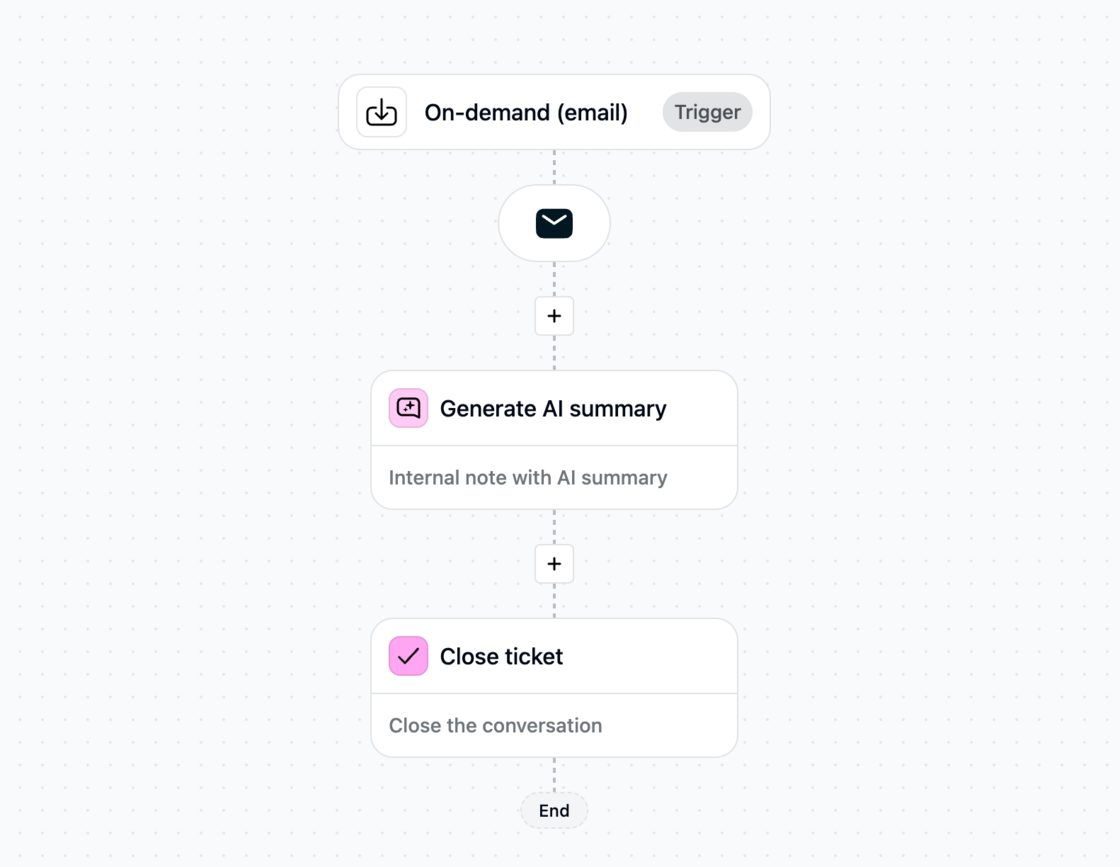
With On-demand Journeys, agents can trigger workflows directly from the inbox—whenever they need them. This reduces repetitive work, speeds up processes, and boosts productivity.
Unlike automated Journeys, On-demand gives agents control: they decide when and on which ticket the workflow runs.
How to use it
- Go to Journeys in Trengo.
- Select On-demand trigger.
- Build and save your automation.
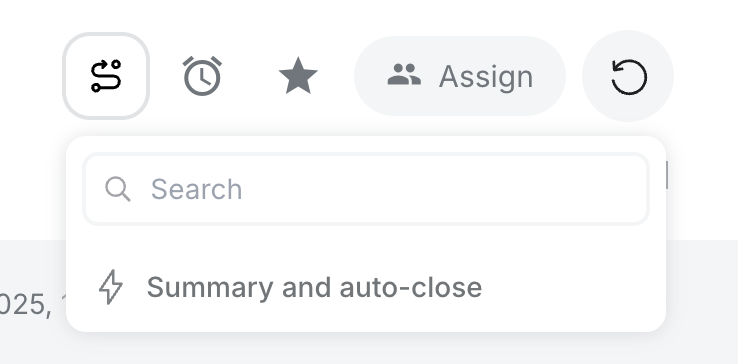
- Refresh the inbox—your On-demand Journeys will appear above the ticket, ready to use.
Examples
With one click, agents can:
- Generate an AI summary and forward a ticket.
- Trigger a CSAT survey and close the ticket.
- Run AI labeling + auto-close.
- Forward emails to the right address.
On-demand Journeys help teams save time and focus on conversations that matter most.
Enjoy automating even more!
Like this update? Let the team know so they get even more motivated to bring more awesome updates to you.