

Back to Changelog
Improvement
AI HelpMate
Journeys conversations will start/continue when ticket is assigned
From now on AI Journeys will also run on created and assigned conversations — not just new ones.
What’s changing on the Message received trigger?
Before:
- AI Journeys only start when a new, unassigned message comes in.
From now on AI Journeys will also start/continue in the following situations:
- When you create a new ticket (manual or via the API) and the customer replies.
- When a conversation is assigned to an agent (the Journey continues).
- And of course, still when a new unassigned message comes in.
Practical information:
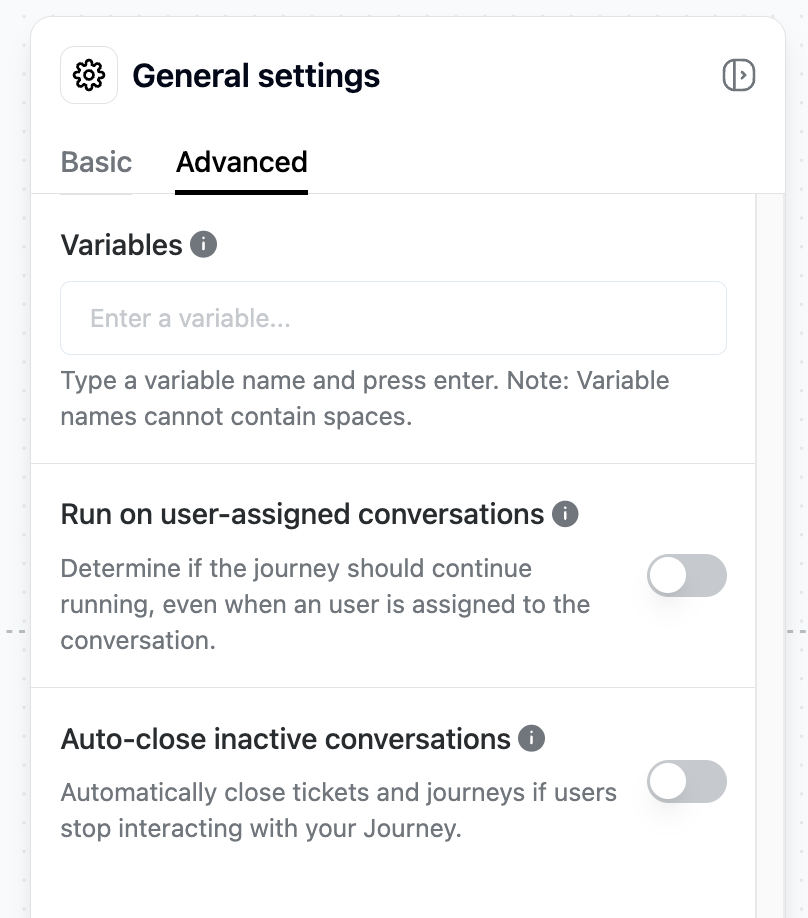
- For all previously created Journeys, this feature is turned off by default, but you can manually enable it (see screenshot).
- For all newly created Journeys, the feature is turned on by default, but you can manually disable it if needed (see screenshot).
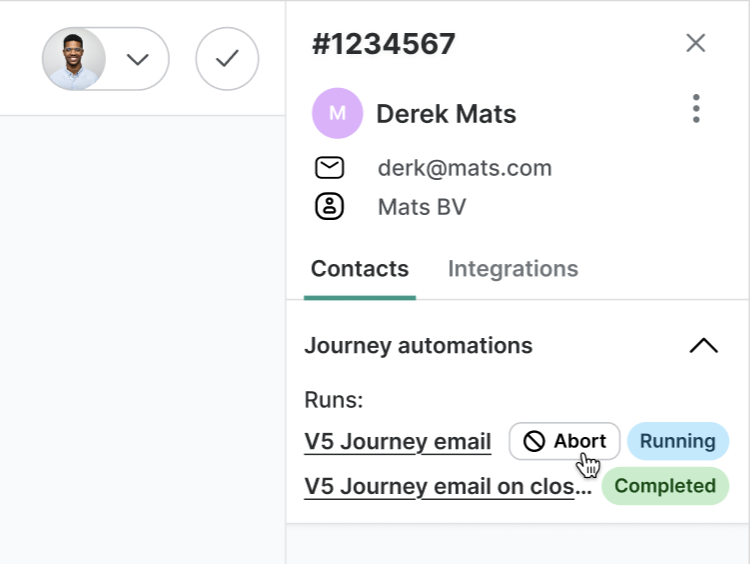
Want to stop the Journey after a conversation is assigned?
No problem! Just click “Abort” in the Trengo sidebar. The Journey will stop immediately and won’t run again for that ticket.
Note: Each Journey trigger can only run once per ticket. It won’t restart if the ticket gets reopened later.
Like this update? Let the team know so they get even more motivated to bring more awesome updates to you.