

Back to Changelog
New
AI HelpMate
El etiquetado con IA ya está disponible en Journeys ⚡️
Hemos lanzado una nueva acción, función y panel de control de Journey llamada: Etiquetado con IA ✨✨✨ ¡Ya disponible para todos los clientes!
Por qué el etiquetado con IA cambia las reglas del juego:
- Insights más inteligentes: el etiquetado con IA etiqueta automáticamente las conversaciones con etiquetas relevantes, lo que brinda a los equipos información profunda sobre las interacciones con los clientes sin trabajo manual.
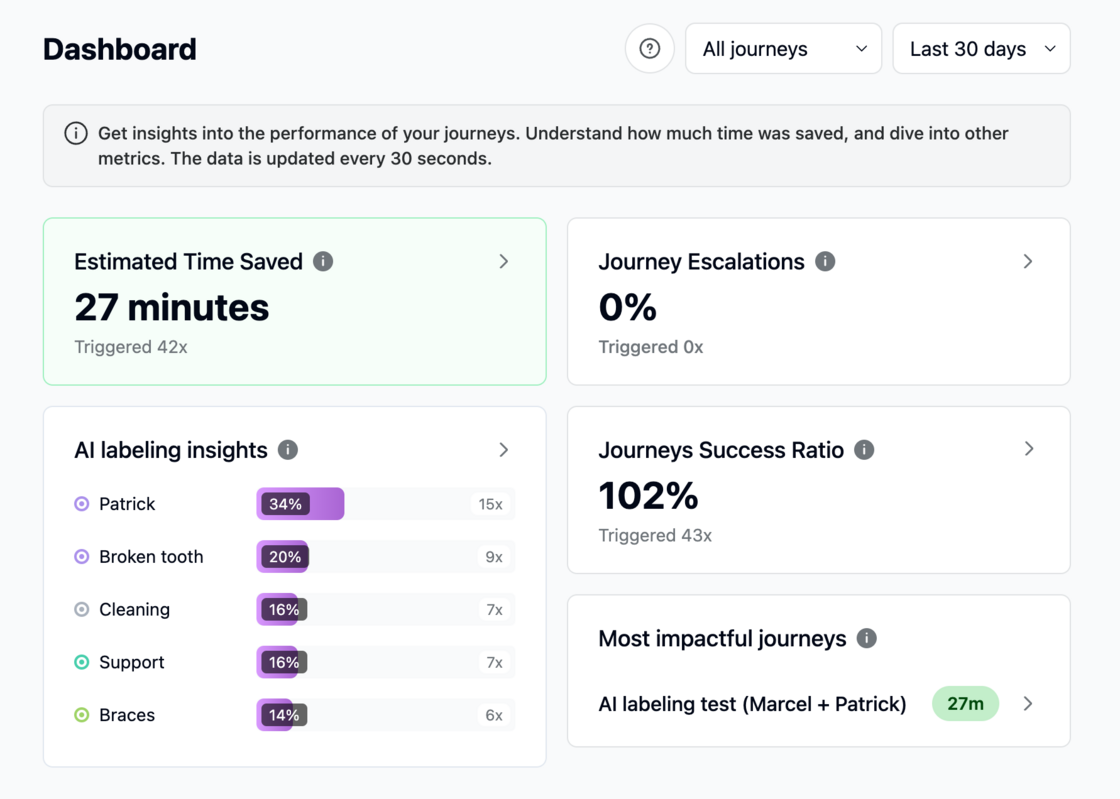
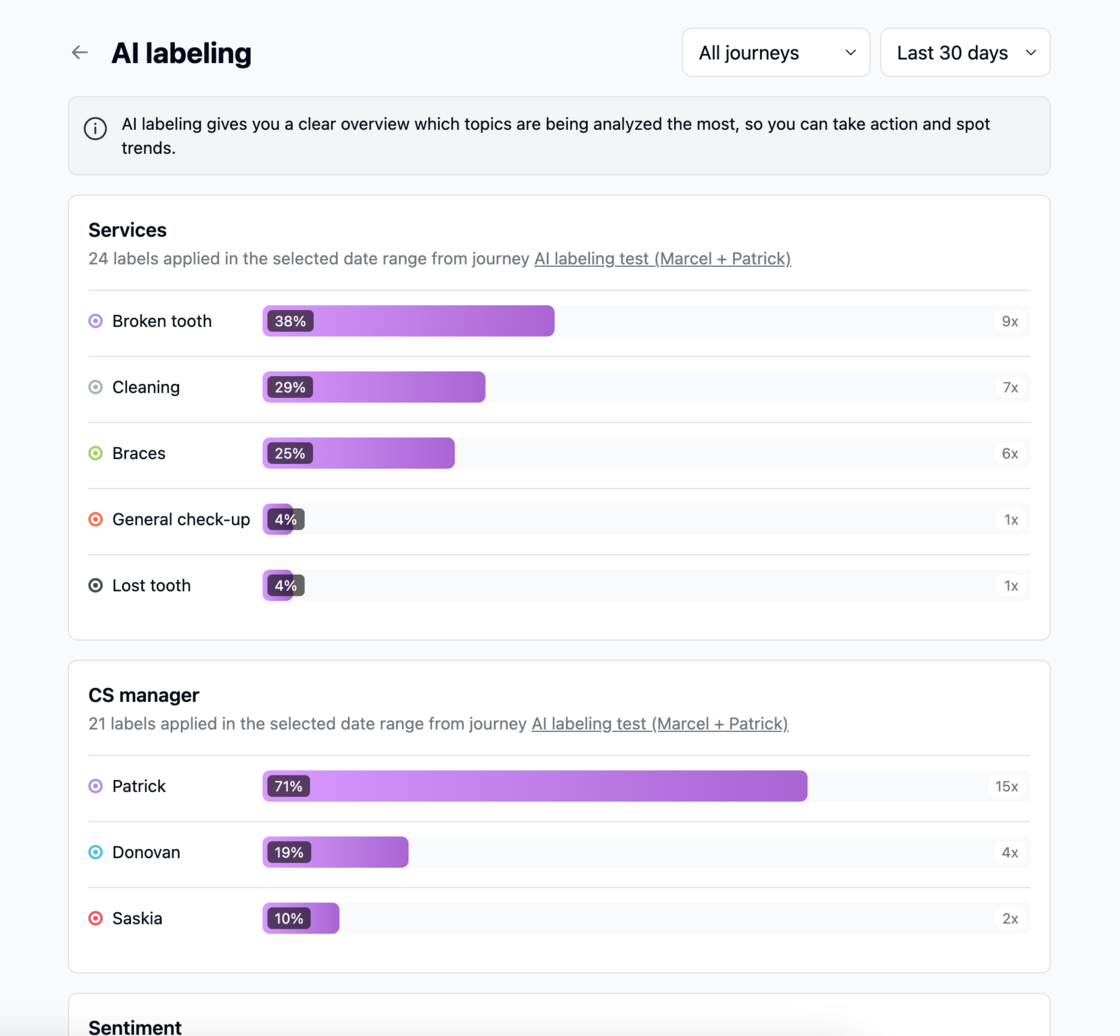
- Análisis mejorados: el panel de control adjunto proporciona una descripción detallada y acceso directo a las conversaciones basadas en etiquetas de tickets específicas. Esto significa que los gerentes y los equipos pueden rastrear tendencias, detectar problemas y tomar decisiones basadas en datos con facilidad.
- Más contexto, mejores resultados: el valor de esta función reside ahora especialmente en el caso de uso del correo electrónico, pero pronto se ampliará para las conversaciones de mensajería. Los clientes que usan correo electrónico ya pueden desbloquear valor al ver cómo el etiquetado con IA categoriza los tickets desde el principio.
Cómo empezar a usarlo:
- Vaya a un Journey (o cree uno)
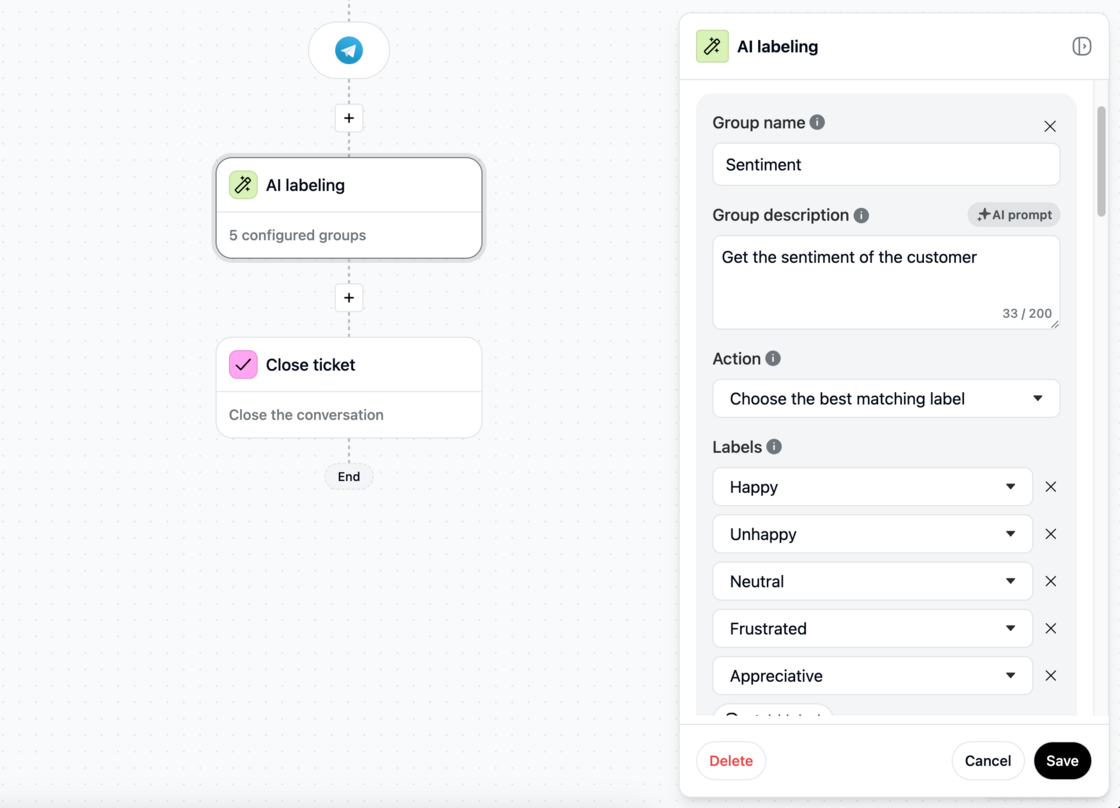
- Añada la nueva acción de etiquetado con IA
- Añada un grupo de etiquetas con un simple prompt de IA que describa el grupo
- Añada las etiquetas que coincidan con el grupo
- Seleccione si del grupo se puede aplicar una etiqueta, o varias al mismo tiempo
- Guarde la acción y publique los nuevos cambios y funcionará
- Vea el rendimiento en la nueva página del panel de control https://app.trengo.com/workflows/dashboard/labels
Qué sigue:
Esperado para esta semana o la próxima: el “Activador al cerrar” para canales de correo electrónico y mensajería.
Si luego usa el etiquetado con IA en el nuevo activador al cerrar, esta nueva función analizará toda la conversación y aplicará todas las etiquetas relevantes, ofreciendo información aún más valiosa en todos los canales.
Like this update? Let the team know so they get even more motivated to bring more awesome updates to you.