

Back to Changelog
Improvement
AI HelpMate
Las conversaciones de Journeys comenzarán/continuarán cuando se asigne un ticket
A partir de ahora, los Journeys de IA también se ejecutarán en conversaciones creadas y asignadas, no solo en las nuevas.
¿Qué cambia en el disparador de 'Mensaje recibido'?
Antes:
- Los Journeys de IA solo comenzaban cuando llegaba un mensaje nuevo y sin asignar.
A partir de ahora, los Journeys de IA también comenzarán/continuarán en las siguientes situaciones:
- Cuando creas un nuevo ticket (manual o a través de la API) y el cliente responde.
- Cuando una conversación se asigna a un agente (el Journey continúa).
- Y, por supuesto, sigue ocurriendo cuando llega un nuevo mensaje sin asignar.
Información práctica:
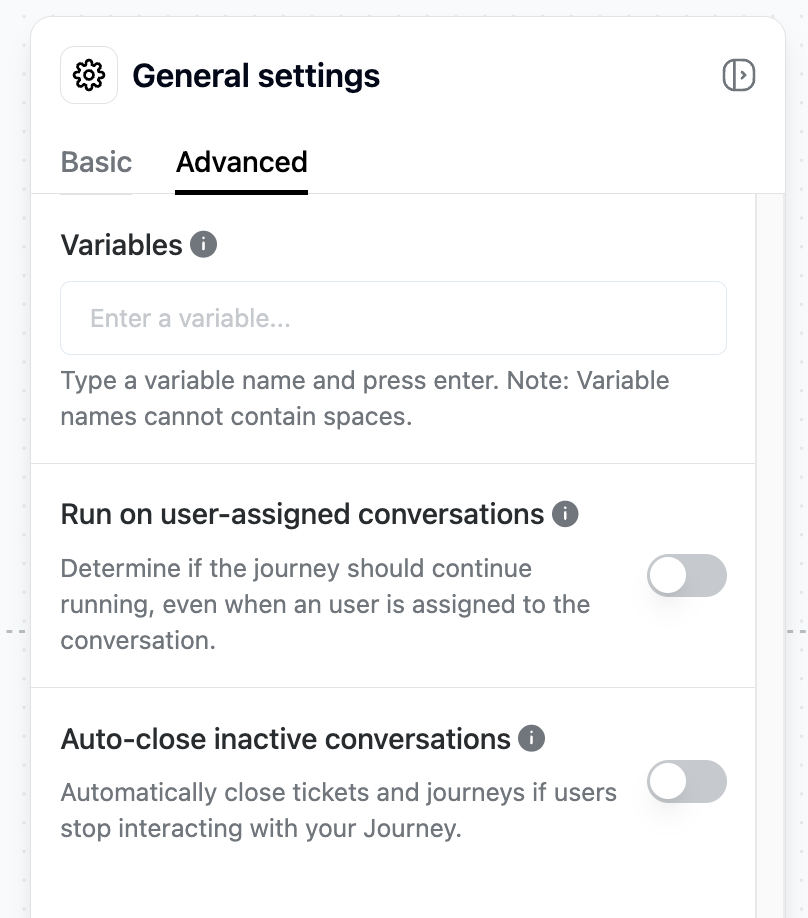
- Para todos los Journeys creados anteriormente, esta función está desactivada por defecto, pero puedes activarla manualmente (ver captura de pantalla).
- Para todos los Journeys recién creados, la función está activada por defecto, pero puedes desactivarla manualmente si es necesario (ver captura de pantalla).
¿Quieres detener el Journey después de que se asigne una conversación?
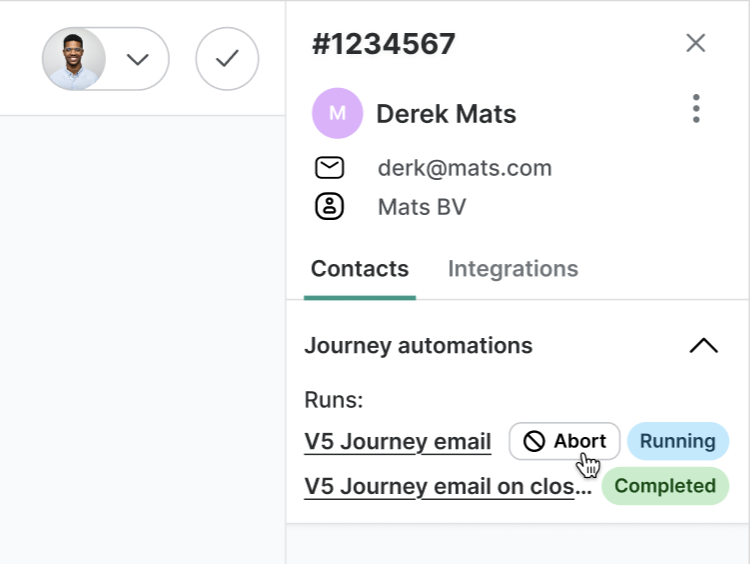
¡No hay problema! Simplemente haz clic en 'Abortar' en la barra lateral de Trengo. El Journey se detendrá inmediatamente y no se ejecutará de nuevo para ese ticket.
Nota: Cada disparador de Journey solo puede ejecutarse una vez por ticket. No se reiniciará si el ticket se reabre más tarde.
Like this update? Let the team know so they get even more motivated to bring more awesome updates to you.